
- Hold down the Windows key on your keyboard and press the letter C to open the Charm menu, then click the gear icon (Settings).

- Click More PC Settings.

- Click General.
- Under Advanced Startup, click Restart Now.
 NOTE: In Windows 8.1, the ‘Restart Now’ button has moved to ‘PC Setting -> Update & Recovery -> Recovery.’
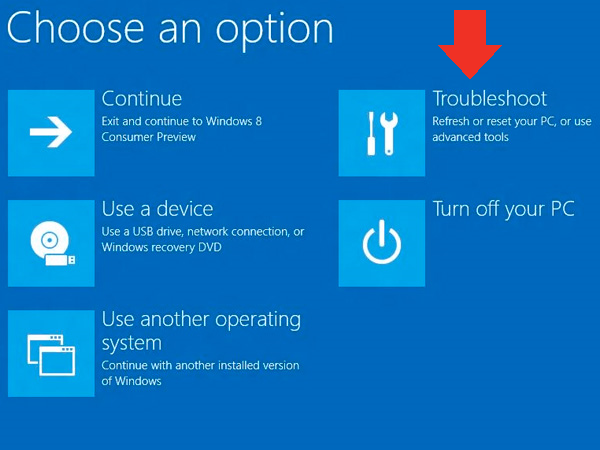
 - After restarting, click Troubleshoot.

- Click Advanced Options.

- Click Windows Startup Settings.

- Click Restart.
- After restarting your computer a second time, choose Disable driver signature enforcement from the list by typing the number 7 on your keyboard.Your computer will restart automatically.




Source: https://learn.sparkfun.com/tutorials/disabling-driver-signature-on-windows-8/all